
blackScreen has a simple function: it makes your computer screen black every 30 min (changable) so you can walk around and relax your eyes.
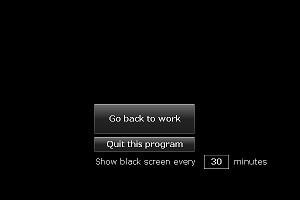
To install, go to Adobe AIR marketplace and click INSTALL NOW. Or, you can follow the steps below:
Why making such a program? Well, after Microsoft enforces the “black screen” thing for illegal Windows copies, some people say it’s actually very nice because it forces the users to relax their eyes. Microsoft should implement this “black screen” function in legal copies! Before it does, here is a substitute for now …



I am using this. Very good program form eyes.
glad to know it is useful
Hi,
Recently I re-installed BlackScreen and the new-updated AIR showed me warning that this app can access my file system and internet. Also the publisher is not verified.
Please see into the matter as some people might be little skeptic about this.
@Abhishek
That’s weird. I have never changed the program after its initial release. As to the publisher, it’s quite expensive to purchase a certificate.
Frankly speaking it’s a pleasant surprise that people are using it.